
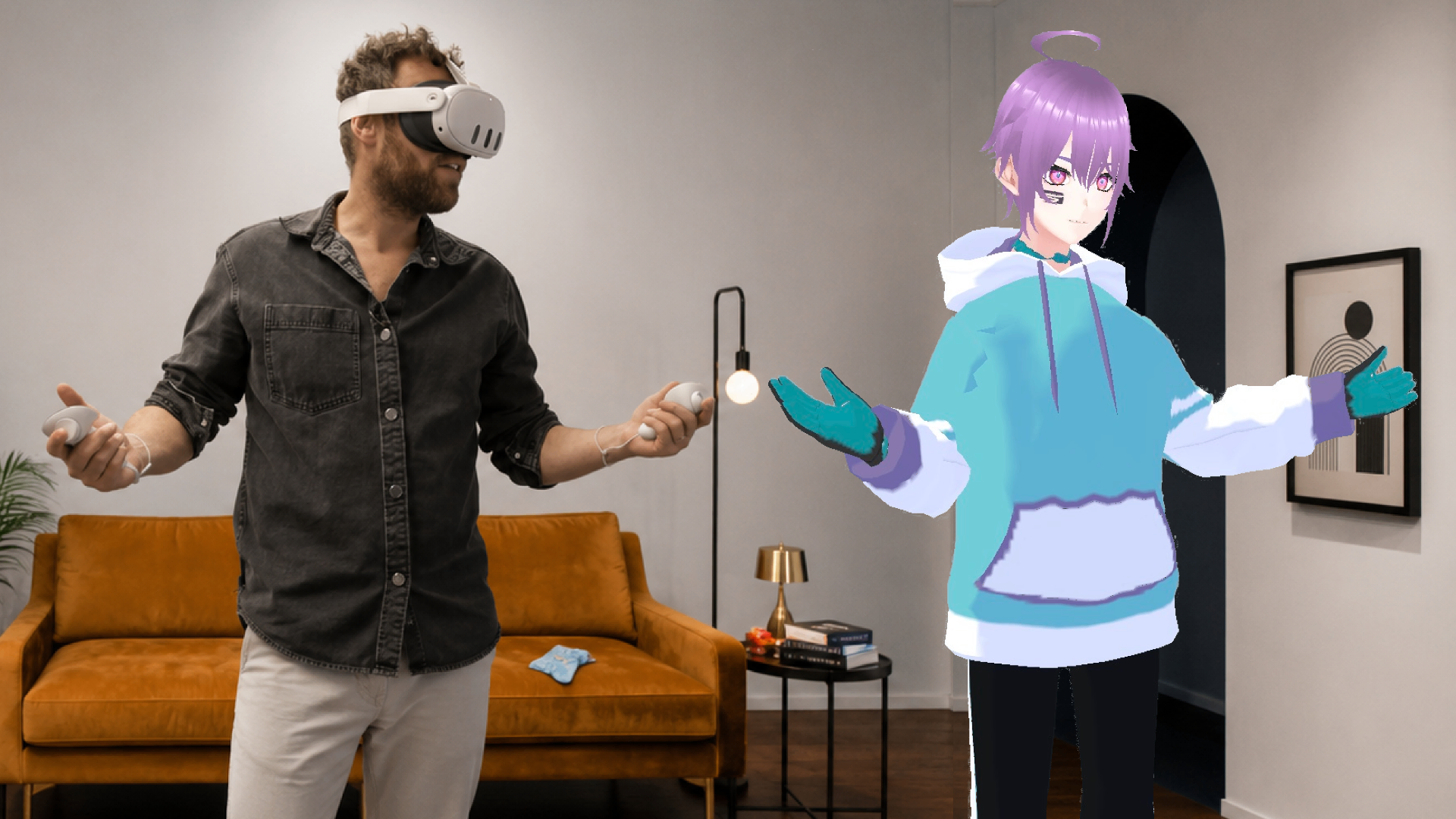
Stream Live in AR and get paid for it
Stream your VRM avatar live in augmented reality. Build your audience and earn from fans who show up for you and contribute donations in the form of AR effects, messages, gifts, and more.
A new revenue stream for VTubers.
Fans can support you with Scenic Silver, spending it to interact in various ways during your AR streams. Your Silver balance builds up as you stream. Many interactions are free, but contributing Silver is one way fans can choose to show up in a more meaningful way.
AR Effects
Fans can pay to trigger 3D effects that physically appear in your space as the streamer — confetti, spotlights, AR gifts, and more.
Pinned messages & charms
Special messages can be purchased and pinned to the top of live chat feed. Different animations and charms can also be purchased and pushed into the chat feed itself.
Silver drops
Direct Silver donations that can appear as an AR effect along with a personal message. These can appear as flying envelopes, treasure chests, and more, based off the level of contribution.
Ready to cash out your earned Silver?
Go to Account Settings in the mobile app and tap "Become a Paid Creator." Connect your bank account via Stripe Connect and convert your Silver balance into real money, on your own schedule!
How to set up as a creator.
Three steps to take before your first AR stream.
Download the Scenic mobile app & sign up
Create your account using our iOS or Android mobile app. This is required before doing anything else.


Upload your avatar & props
Use the 3D Uploader to add your VRM avatar along with any GLB/GLTF prop models that you want to use. Upload once, and they'll be available on both apps.
Go live as a hologram
Download the Quest headset app and start streaming. Your fans can join you stream to watch from the Scenic mobile app.

AR livestreams or scene recordings
Scenic supports two distinct creation formats. Your avatar and 3D props work across both.
Stream your avatar live into fans' real spaces.
The main event. - You stream as your 3D character while wearing a VR headset. Fans can watch on their phones, no headset required. Your movements while in the headset drive your avatar's movements in real time as fans watch, chat, and send AR effects that appear around you.
Your stream, your show.
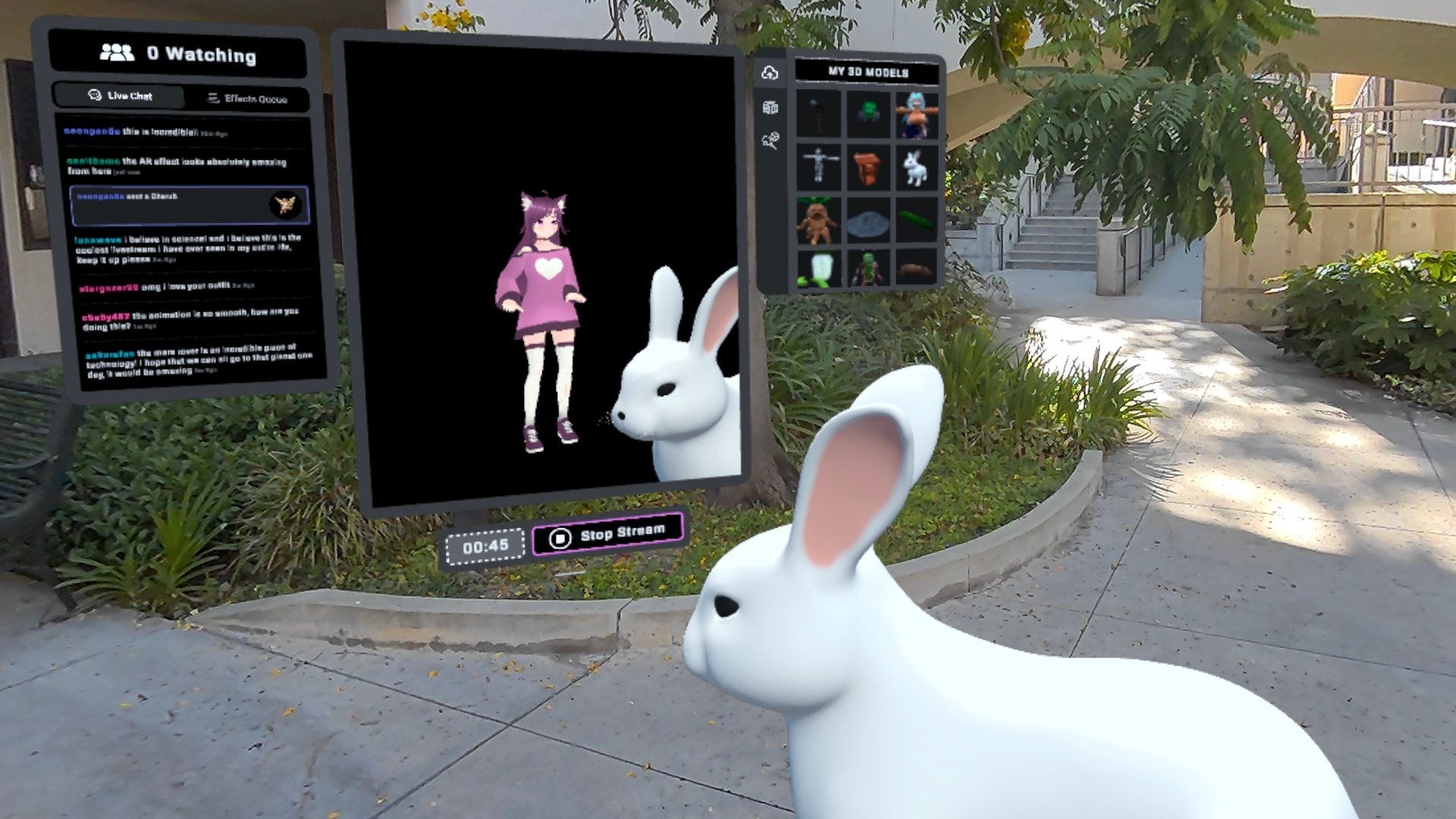
Play with 3D props
You can browse both your own and public 3D models on Scenic during your livestreams. Pull them into your stream space, play with them, and arrange them to give the stream an interesting backdrop.
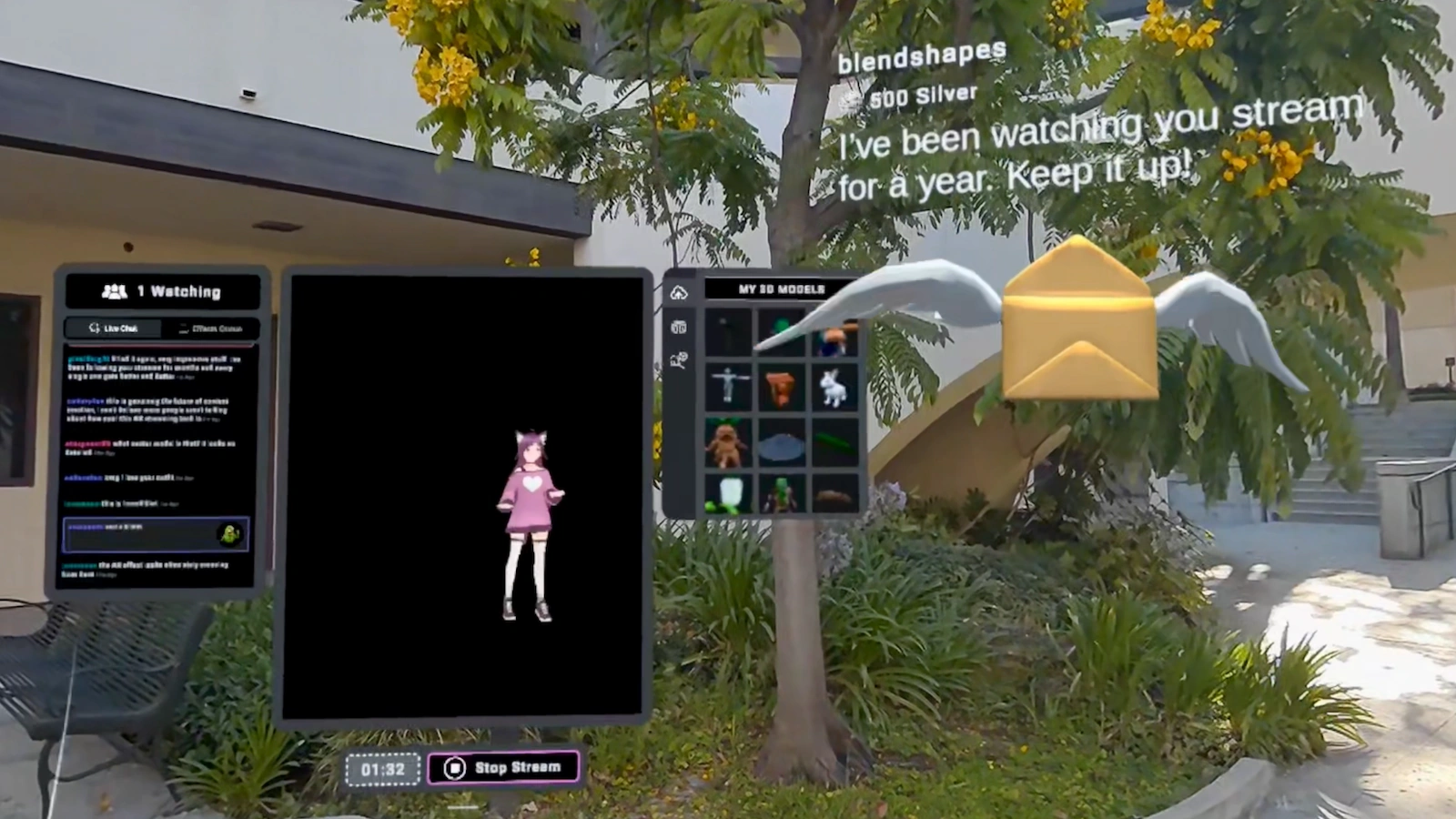
React to fan effects
When fans send AR effects, they materialize in your physical space. You can dance around them, respond, and make it a show; in this way, your AR stream becomes an experience shared with your audience.
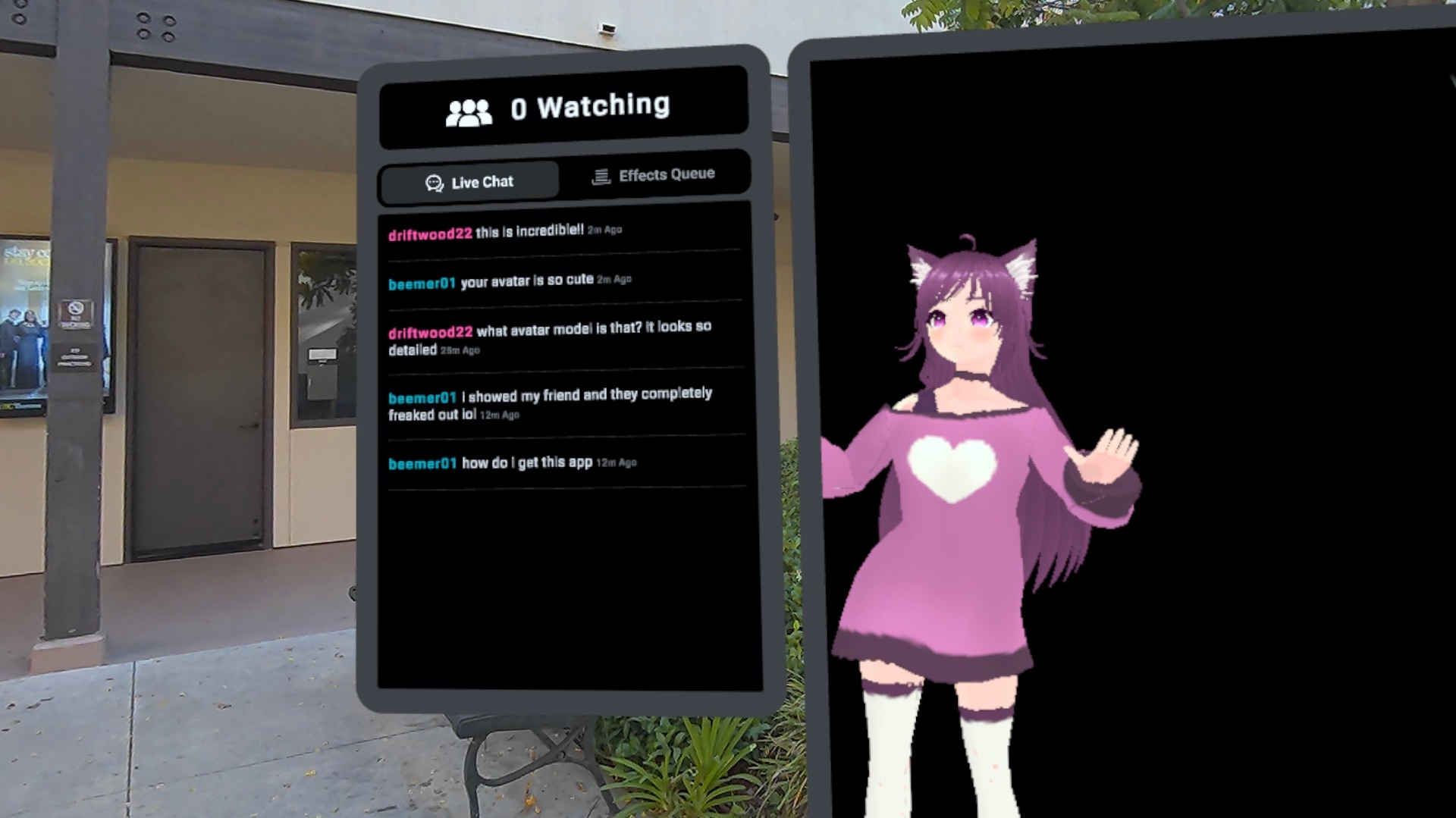
Respond to chat messages
Your fans can send messages from the Scenic mobile app which then appear in your headset in real time as you stream. You can read them, react, & call people out by name - the chat feed is right there with you in your AR space, available to view at any time.